
Haryana Property Tax Online 2026: Step-by-Step Payment Guide & Top Rebates via ULB Portal
Easily pay your Haryana property tax online for 2026. Follow our step-by-step guide to navigating the ULB portal, finding property IDs, and claiming maximum tax rebates.
The Fortune Realty Group
3/16/20264 min read
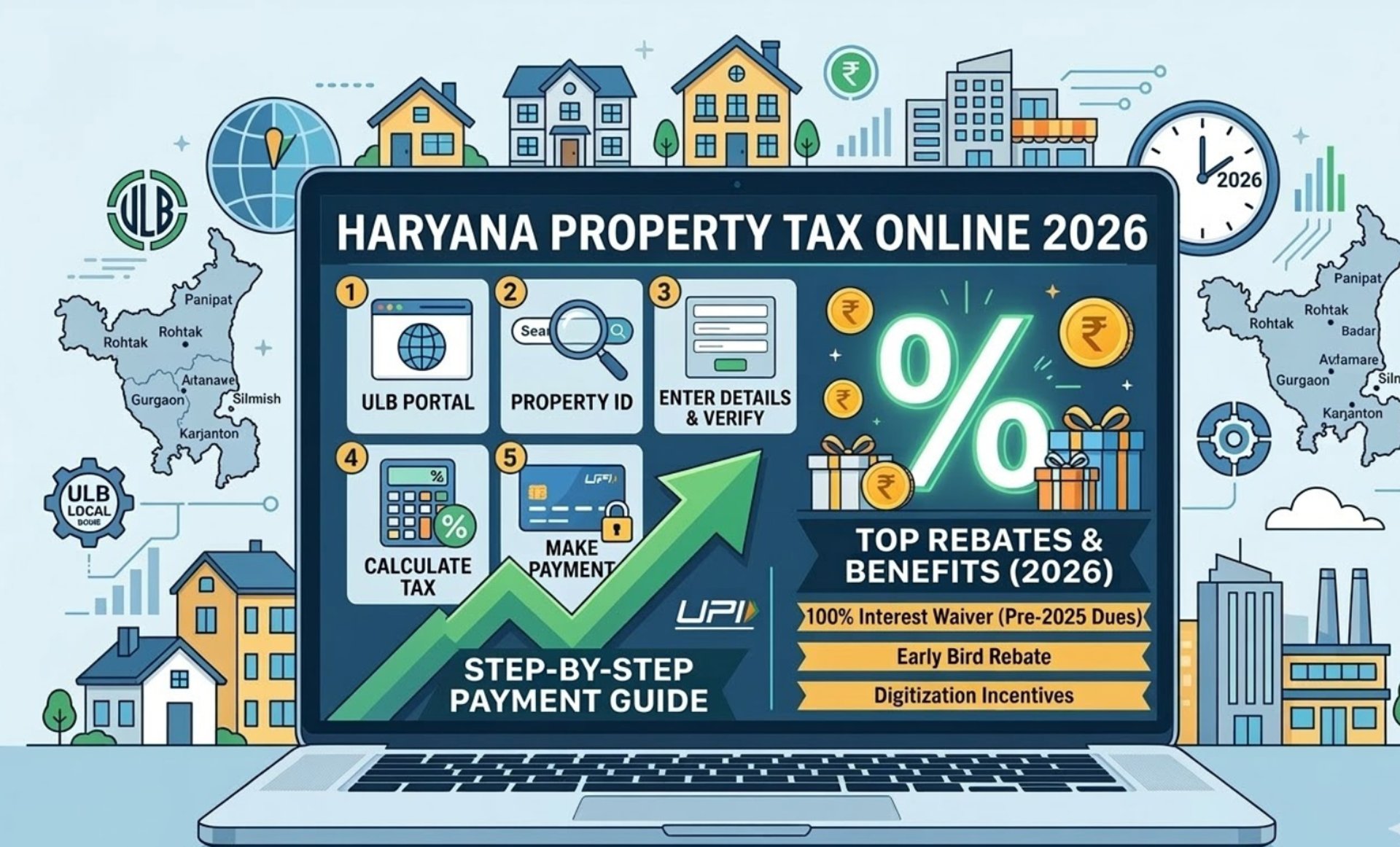
Haryana Property Tax Online 2026: Step-by-Step Payment Guide & Top Rebates via ULB Portal
Easily pay your Haryana property tax online for 2026. Follow our step-by-step guide to navigating the ULB portal, finding property IDs, and claiming maximum tax rebates.
Table of Contents
Complying with property tax regulations is a critical aspect of real estate ownership and investment. For property owners across Haryana, the 2026–27 budget has introduced unprecedented financial relief. The Haryana government has announced a 100% waiver on all outstanding interest on property tax dues accumulated up to March 31, 2025.
While the principal tax amount must still be paid, this waiver on delayed payment interest is set to benefit approximately 41 lakh property owners. To help you navigate this process and clear your dues efficiently, here is a complete, step-by-step guide to finding your Property ID (PID) and making your Haryana property tax payment online via the No Dues Certificate (NDC) portal.
Understanding Haryana Property Tax Rates
Before making a payment, it helps to understand how the Department of Urban Local Bodies (ULB) assesses the tax. Rates are determined based on property size and usage:
Residential Properties: Generally taxed between ₹1 to ₹7 per sq. ft.
Commercial Properties: Taxed higher, typically ranging from ₹12 to ₹15 per sq. ft.
Vacant Plots: Taxed at variable rates depending on the overall size of the plot.
You cannot pay your tax without a valid Property ID. If you do not have yours on hand, follow these steps:
Visit the official website of the No Dues Certificate (NDC) Management System, Haryana.
Log in using your mobile number and verify via the OTP sent to your device.
Enter your specific district, your Urban Local Body (Municipal Corporation or Council), and the exact name of the property owner.
Click on the 'Search' button. Your unique Property ID (PID) will be displayed on the screen.
Step 1: How to Find Your Property ID (PID) in Haryana
If you are a first-time user, you must register on the portal before generating payment challans.
Navigate to the official website of the Department of Urban Local Bodies (ULB) Haryana.
Scroll down the homepage and select the 'Property Tax & NDC' option under the 'Online Services' tab.
Click on 'New User Registration'.
Enter your full name and mobile number, then click 'Register'.
Verify the registration by entering the OTP sent to your mobile number.
Step 2: Registering on the Haryana NDC Portal
Once registered and equipped with your PID, the payment process is highly streamlined:
Log in to the NDC portal using your Mobile Number, Email ID, or PID.
Select the 'Make Payment/Generate NDC' option from the dashboard.
Enter your Property ID (PID) into the search bar.
From the three options that appear, select 'Pay Property Tax'.
The system will display your property details (total area, residential/commercial type, and location) and automatically calculate the total property tax due, factoring in the latest interest waivers.
Carefully verify all details and click on the 'Pay Now' button to complete the digital transaction.
Step 3: Paying Your Haryana Property Tax Online
To ensure a smooth process, especially if you need to update records or clear long-pending dues, keep the following documents ready:
Proof of ownership (A copy of the sale deed, gift deed, or allotment letter).
A valid government ID (Aadhaar card, Voter ID, Passport, or Driving Licence).
Address proof (Recent electricity bill, water bill, or bank statement).
The latest property valuation or assessment report showing exact property size and location.
Previous property tax receipts or challans (if applicable).
PAN Card for tax assessment purposes.
(Note: For any technical issues or direct queries, property owners can contact the Directorate of Urban Local Bodies, Haryana at their Panchkula office via the official helplines: 0172-2590082 or 0172-2580700).
Documents Required for Online Payment & Tax Assessment
To deepen your understanding of Delhi-NCR’s real estate trends and premium markets, explore these TFRG insights:
Ghaziabad Real Estate Boom 2026: Delhi-Meerut Expressway Sparks the New ₹3 Crore Luxury Housing Club
Top Premium Flats Under ₹1 Crore in Noida Extension: The Ultimate 2026 Buyer's Guide
Gurgaon vs. Noida Real Estate 2026: Which NCR City is Winning the High-ROI Race?
Dwarka Real Estate Boom 2026: How 'Yashobhoomi' Skyrocketed Property Prices & ROI in 3 Years
India’s Most Expensive Retail Location 2026: The Massive ROI Behind Delhi’s Khan Market Real Estate
Top Premium Coworking Spaces in Noida 2026: The Ultimate Guide to Flexible Workspaces
Related Reads to Explore
Explore Other Prime Real Estate Opportunities in NCR
There are several verified and ready-to-move flats available in the region. At The Fortune Realty Group, we provide expert guidance and curated listings to help you find the perfect property.
You can explore:
Flats in Chattarpur & Vasant Kunj – Affordable options with excellent metro connectivity.
Farmland in Manesar – Ideal for investment and weekend retreats.
At The Fortune Realty Group, we help you find:
✅ Verified luxury builder floors with clear registry
✅ Prime locations like Gurugram, Manesar, Chattarpur, Vasant Kunj, Vasant Vihar, and more emerging hotspots
✅ Full support with home loans, legal formalities, and after-sales services
✅ Zero brokerage deals — so your investment goes directly into your dream home, not middlemen
With booming infrastructure, excellent connectivity, and rising demand, Gurugram, Manesar, Chattarpur, Vasant Kunj, and Vasant Vihar have become top choices in Delhi NCR for luxury living and high-return real estate investments.


Verified luxury builder floors with clear registry
How TFRG Makes Luxury Buying Stress-Free

Looking to Invest in South Delhi or Manesar?
Contact TFRG today for verified listings, legal due diligence, and best-in-class guidance across residential, commercial, and plotted developments.
The Fortune Realty Group
Experience hassle-free property deals with zero brokerage.
Contact Us
Inquiry
support@thefortunerealtygroup.com
+91-9990990317
© 2025. All rights reserved. Designed by PC Media House.